How to Automate a DCA Strategy From TradingView Webhook Alerts
If you run a DCA strategy, TradingView webhook alerts can execute it for you so you are not logging in to place the same buy over and over. Dollar-cost averagi...
Read more
A field-by-field guide to mapping TradingView alert fields to exchange order parameters — symbol, side, order type, quantity, price, and reduce-only — so one alert becomes exactly one correct order.
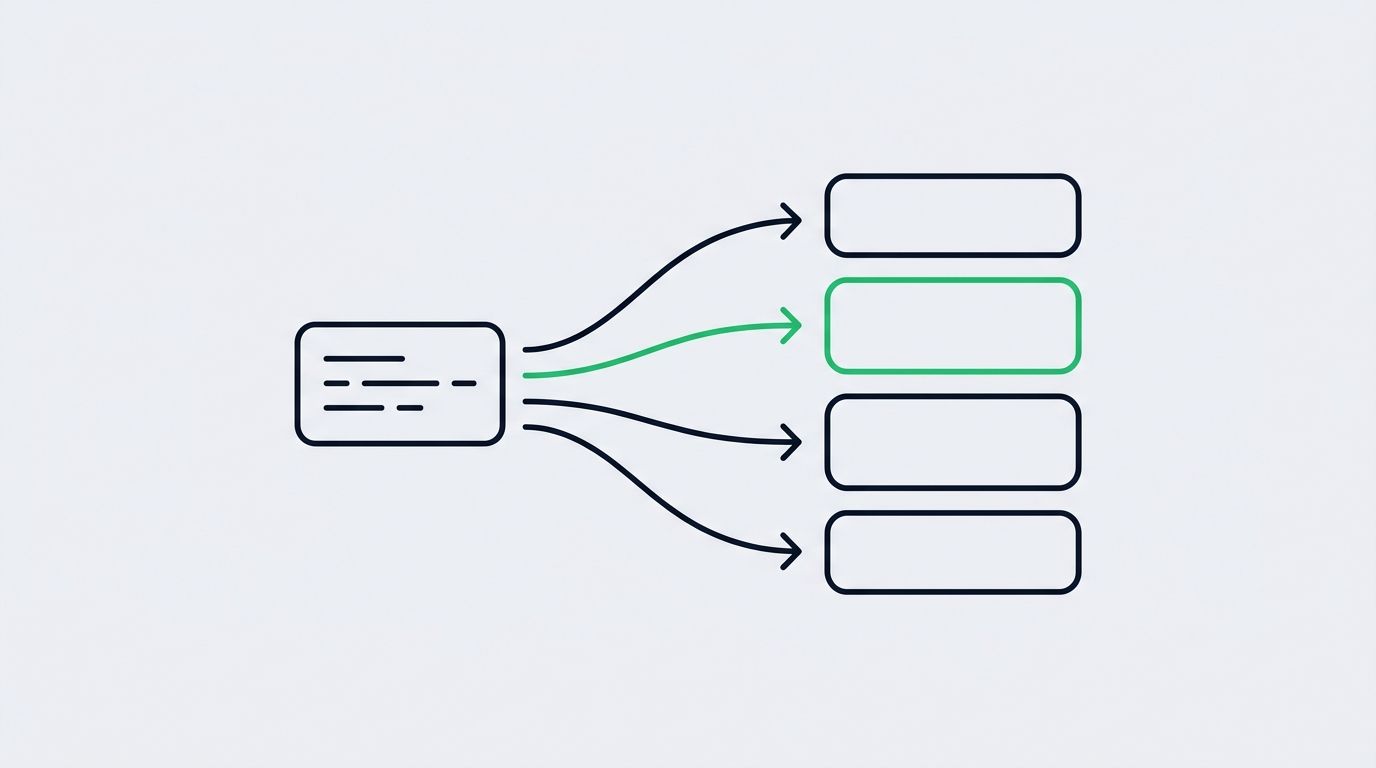
An alert fires on your chart, a webhook goes out, and somewhere downstream an exchange has to decide exactly what to trade. The step in between is where most automation succeeds or breaks: you have to map TradingView alert fields to exchange order parameters cleanly, so the values your strategy produces line up with the values the exchange expects. Get the mapping right and one alert becomes exactly one correct order. Get it wrong and you get rejected requests, orders on the wrong symbol, or a size that has nothing to do with what you intended.
This guide walks through the mapping field by field: what an alert sends, what an exchange order needs, how to translate between them, and where that translation should happen.
A TradingView alert is just a message. When your strategy or indicator triggers, TradingView sends whatever text you put in the alert body — usually a JSON object — to a webhook URL. That message describes intent: buy this, close that, at this size.
An exchange order is a strict, typed request. The exchange API expects specific parameter names, specific value formats, and specific enumerations for things like order side and order type. It does not know or care what your Pine Script called a variable.
Mapping is the translation layer between the two. It takes each field in the alert payload and assigns it to the correct exchange parameter, converting formats where needed. If you have not settled on a payload structure yet, start with how to structure a TradingView webhook JSON payload for orders — a clean payload makes every mapping decision below far simpler.
Almost every exchange order, across every supported venue, comes down to the same handful of parameters:
Your alert needs to supply enough information to fill each of these, either explicitly as a field or implicitly through a default. The mapping's job is to route each alert field to the right parameter and to reject anything that would produce an ambiguous order.
TradingView symbols and exchange symbols rarely match character for character. On a chart you might see `BINANCE:BTCUSDT.P` for a perpetual, while the exchange API wants `BTCUSDT` on its futures endpoint. Your mapping needs a normalization step: strip the exchange prefix, handle the `.P` perpetual suffix, and resolve the result to the exact instrument the venue lists. The safest pattern is a small lookup that translates chart notation into each exchange's canonical symbol.
Most strategies emit an action like `buy`, `sell`, `long`, `short`, `close`, or `exit`. Exchanges expect a concrete side — typically `BUY` or `SELL`. The mapping has to collapse your vocabulary into theirs: `long` becomes buy, `short` becomes sell, and `close` becomes whichever side flattens the current position. That last one is important, because “close” is not a side the exchange understands; it is a decision your relay makes after checking position direction.
An alert field like `orderType: "market"` or `"limit"` maps to the exchange's order-type enumeration. Market orders execute immediately at the best available price; limit orders rest until price reaches your level. If your strategy sends a limit type, the payload must also carry a price. If it sends market, any price field should be dropped so the exchange does not reject the request for including an irrelevant parameter. For a deeper look at how each behaves once live, see market vs limit orders in automated trading.
Quantity causes the most trouble, because “how much” can be expressed several ways: a base-asset amount, a quote-currency amount, a number of contracts, or a percentage of balance. The exchange accepts one form per market and enforces precision rules — minimum size, step size, and decimal limits. Your mapping should convert the alert's sizing instruction into the exchange's required unit and round to the venue's allowed precision. Because this is so error-prone, how to control order size in TradingView webhook alerts covers the sizing patterns worth standardizing on.
For limit orders, map the alert's `price` field to the exchange's price parameter, respecting tick size. For conditional orders — stop-market, stop-limit, take-profit — you also map a separate trigger (or stop) price that tells the exchange when the order activates. Keep these fields distinct in your payload so a limit price is never mistaken for a trigger price. When you start attaching exits this way, how to add stop-loss and take-profit to automated TradingView orders shows where those trigger fields belong.
On margin and futures markets, a reduce-only flag guarantees an order can only shrink or close a position, never open a new one in the opposite direction. Map an alert's `reduceOnly: true` — or an inferred intent when the action is `close` — to the exchange's reduce-only parameter. This single field prevents a stray exit from flipping you long-to-short by accident.
You can perform this translation in three places, and the choice shapes how maintainable your setup stays.
Doing it inside TradingView means baking exchange-specific formats into every alert message. It works, but it couples your Pine Script to one venue and forces you to edit every alert whenever an exchange changes a symbol format.
Doing it in the relay layer — the service between TradingView and the exchange — keeps your alerts clean and venue-agnostic. The alert expresses intent in your own vocabulary, and the relay owns the messy per-exchange translation. This is what SignalToExchange is built to do: accept a simple, consistent payload and map it to each exchange's exact order parameters, using trade-only API keys so it can place orders but never withdraw funds.
The exchange itself is not a place to map — it only validates the finished request — but it is where your final parameters are enforced, which is why precision and enumerations have to be correct before the request arrives.
Usually because a field did not map cleanly. The common causes are a chart symbol sent without normalization, a quantity that violates precision or minimum-size rules, or a price included on a market order. Log the exact parameters your relay submitted and compare them to the exchange's API requirements to find the mismatch.
The intent stays the same, but the details differ. Symbol notation, sizing units, and order-type names vary per venue, so you keep one clean internal payload and a per-exchange translation table. A relay layer handles this so your alerts stay identical no matter which exchange you route to.
Pick one consistent unit — base asset, quote amount, contracts, or a percentage of balance — and let the mapping convert it to whatever the target market requires. Validate against step size and minimum notional every time before submitting.
In the relay layer between TradingView and the exchange. Keeping translation out of your Pine Script means your alerts express intent in your own vocabulary and never need editing when an exchange changes a symbol format or precision rule.
Mapping is the quiet part of automation that decides whether an alert becomes the order you meant. Keep the alert consistent, translate each field — symbol, side, order type, quantity, price, reduce-only — into the exchange's exact parameters, and validate before you submit.
SignalToExchange handles that translation for you: send one consistent payload, and it maps every field to the correct exchange order parameters on your chosen venue, using trade-only keys so your funds never leave your account. Request access / start your free trial and let the relay own the mapping so every alert lands as exactly the order you intended.
Automated trading involves risk. SignalToExchange is execution infrastructure and does not provide financial advice, trading signals, or guarantees of any kind.
If you run a DCA strategy, TradingView webhook alerts can execute it for you so you are not logging in to place the same buy over and over. Dollar-cost averagi...

A trailing stop is one of the most requested features in TradingView webhook automation, and also one of the easiest to get wrong. The idea is simple: as price...

Most automation guides focus on how to open a trade. Far fewer explain how to cancel an open order using a TradingView webhook, and that gap causes real proble...
Non-custodial execution. Trade-only API keys. Independent infrastructure built for reliability.
Request Early AccessTrade-only API key enforcement. No withdrawal permissions. No custody.